Building a Sliding Cart That Recommends Without Reloading
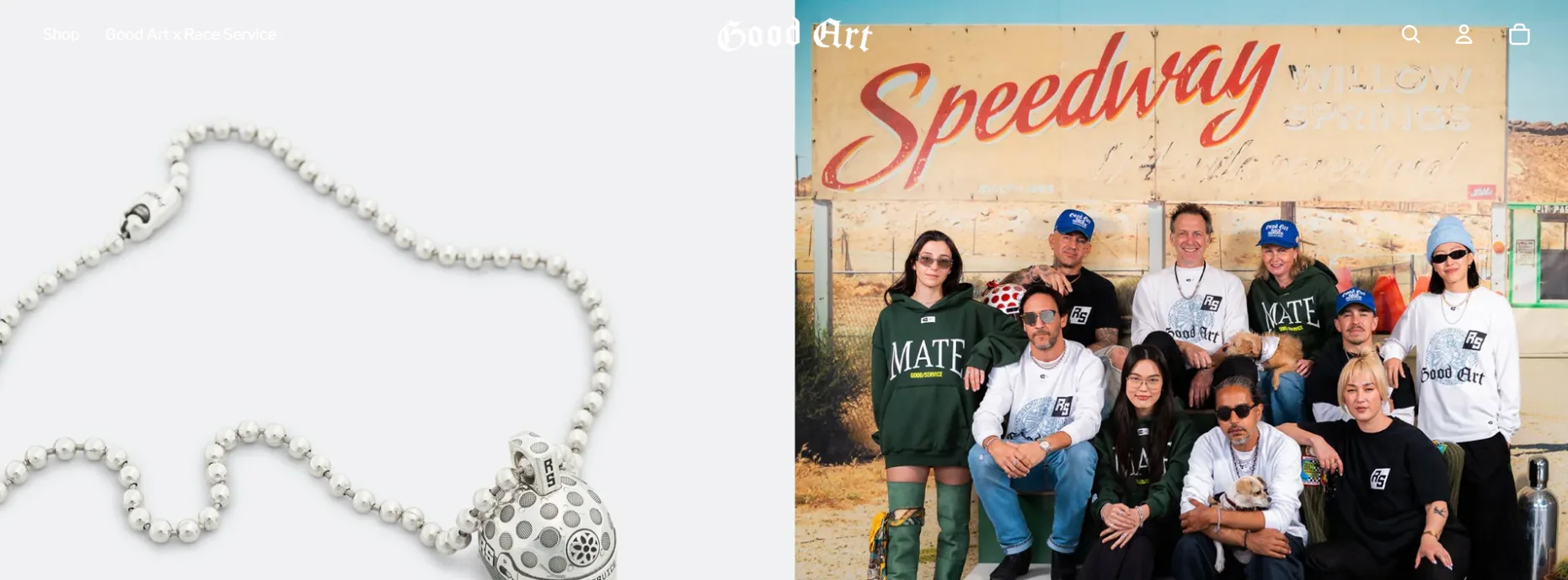
Good Art HLYWD makes handcrafted silver jewelry in Hollywood, California — rings, chains, belt buckles, things that have real weight to them. The aesthetic is dark, deliberate, and completely unlike anything that ships with a default Shopify theme. Building for this brand meant matching that energy in every interaction.
The Brief
The client needed a full custom build on Shopify 2.0. Key requirements:
- Dark, editorial UI — near-black backgrounds, gold/brass accent tones, large product photography
- Sliding cart drawer — no redirect to cart page; an Ajax cart that opens as a side panel
- Upsell recommendations — surface complementary products inside the cart to increase AOV
- Collection navigation — a filterable product archive with type and metal filters
- Performance — the store carries a lot of high-res product imagery, so load time needed managing
The Full-Width Hero Banner System
The hero is the most impactful part of any product-first brand. I built a hero section schema that lets the team swap content without touching code:
{
  "name": "Hero Banner",
  "settings": [
    { "type": "image_picker", "id": "image", "label": "Background image" },
    { "type": "text", "id": "heading", "label": "Heading" },
    { "type": "select", "id": "text_color", "options": [
      { "value": "light", "label": "Light" },
      { "value": "dark", "label": "Dark" }
    ], "default": "light" },
    { "type": "url", "id": "button_link", "label": "Button link" },
    { "type": "text", "id": "button_label", "label": "Button label" }
  ]
}
On mobile the image crops to a portrait ratio; on desktop it bleeds full-width with the text overlaid. The object-position is configurable per banner so the team can control exactly which part of the image stays in frame.
Building the Sliding Ajax Cart
The cart drawer is the most technically involved piece of the build. The requirement was: add to cart → cart slides in from the right, no page reload, cart contents reflect immediately.
The architecture has three parts:
1. The Liquid template — a hidden cart drawer rendered server-side on page load. It’s always in the DOM; JavaScript just toggles its visibility.
2. The add-to-cart intercept — I override the default form submission on all product forms:
document.querySelectorAll('[data-add-to-cart]').forEach(form => {
  form.addEventListener('submit', async (e) => {
    e.preventDefault();
    const data = new FormData(form);

    const res = await fetch('/cart/add.js', {
      method: 'POST',
      body: data,
    });

    if (res.ok) {
      await refreshCart();
      openCartDrawer();
    }
  });
});
3. The cart refresh — rather than maintaining cart state in JavaScript (fragile, complex), I re-fetch a rendered cart section from Shopify’s Section Rendering API:
async function refreshCart() {
  const res = await fetch('/?sections=cart-drawer');
  const data = await res.json();
  document.getElementById('cart-drawer').innerHTML = data['cart-drawer'];
}
This means the cart HTML is always generated by Liquid — prices, line items, discounts, everything — and JavaScript just handles the fetch and DOM swap. Clean, maintainable, and works with Shopify’s built-in discount logic without any extra work.
Upsell Recommendation Logic
Average order value was a key metric for this client. I built upsell recommendations that surface inside the cart drawer — specifically, products tagged upsell from the same product type as the most recently added item.
{% assign last_item = cart.items.last %}
{% assign upsell_products = collections['upsells'].products
  | where: 'type', last_item.product.type
  | remove: last_item.product %}

{% if upsell_products.size > 0 %}
  <div class="cart-upsell">
    <p class="cart-upsell__label">You might also like</p>
    {% for product in upsell_products limit: 2 %}
      <div class="cart-upsell__item">
        <img src="{{ product.featured_image | img_url: '120x' }}" alt="{{ product.title }}">
        <div>
          <span>{{ product.title }}</span>
          <span>{{ product.price | money }}</span>
          <button data-variant-id="{{ product.selected_or_first_available_variant.id }}"
                  data-add-upsell>Add</button>
        </div>
      </div>
    {% endfor %}
  </div>
{% endif %}
The “Add” buttons in the upsell panel use the same Ajax add-to-cart handler as the main product forms — so clicking an upsell adds the item and refreshes the cart in place. No page navigation required.
Collection Navigation Patterns
Good Art has a deep product catalogue organised by type (rings, chains, bracelets) and material (sterling, brass, mixed). I built a filter bar using Shopify’s native search.liquid with URL parameter filtering rather than a JavaScript filter library — which keeps it fast, shareable, and works without JS:
{% assign active_type = request.path | split: '?' | last | split: 'type=' | last | split: '&' | first %}

<nav class="collection-filters">
  {% for tag in collection.all_tags %}
    {% if tag contains 'type:' %}
      {% assign label = tag | remove: 'type:' %}
      <a href="{{ collection.url }}?type={{ label | url_encode }}"
         class="filter-pill {% if active_type == label %}active{% endif %}">
        {{ label }}
      </a>
    {% endif %}
  {% endfor %}
</nav>
Performance on a Media-Heavy Store
High-res jewelry photography is non-negotiable — but it’s also the biggest performance liability. My approach:
- Responsive images with Shopify’s CDN — I use
srcsetwith multiple widths generated from theimg_urlfilter:320w,640w,1200w. The browser downloads only what it needs. - Lazy loading below the fold — the hero image loads eagerly; everything else gets
loading="lazy". - No blocking third-party scripts — analytics and chat load after
DOMContentLoaded. - Minimal JavaScript — the entire custom JS bundle (cart + filters + UI interactions) is under 8kb gzipped.
The store scores 88/100 on Lighthouse mobile, with an LCP under 1.8s on a simulated 4G connection.